Why refurbished makes particular sense for iPads
iPads are unusual among consumer electronics. Most devices lose value quickly and stop receiving updates within a few years. iPads do neither.
Apple supports them for a long time, and demand on the second-hand market stays strong as a result. That combination is exactly what makes buying refurbished worthwhile: a model several years old can still be fully supported, entirely capable for everyday use, and considerably cheaper than new.
The catch is that "iPad" covers four quite different product lines, and the right choice depends far more on what you actually do with it than on which one is newest.
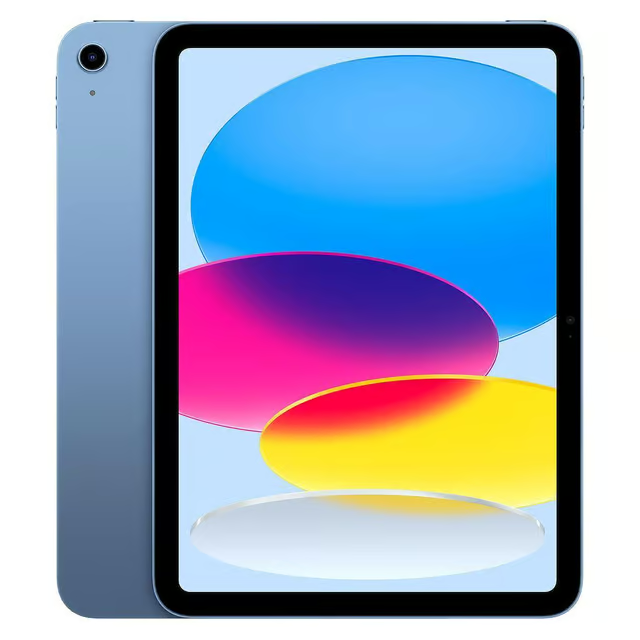
The four lines, and who each is for
Standard iPad. The value option and the right answer for most people. Browsing, video, email, light document work, kids' use, recipes in the kitchen. Recent generations moved to USB-C and a larger screen, which closed much of the gap to the Air.
iPad Air. The middle ground. Its defining feature is a laminated display, meaning the glass sits flush against the screen rather than with an air gap. If you draw or write with a pencil, that gap is immediately noticeable on non-laminated models, and the Air fixes it. Better chip and slimmer build too.
iPad Mini. A specific answer to a specific question. If you want something genuinely portable for reading, travel, or one-handed use on public transport, nothing else matches it. If portability is not your priority, the small screen is a real limitation rather than a quirk.
iPad Pro. Genuinely professional hardware, and priced accordingly even refurbished. Only makes sense for demanding creative work: video editing, heavy illustration, or serious use as a laptop replacement. For anything less, you are paying for headroom you will never touch.
Which generation to buy refurbished
The useful rule with iPads is that certain specific jumps matter far more than year-on-year updates.
USB-C versus Lightning is the most practical dividing line on recent standard iPads. USB-C means one charger for your iPad, laptop and most modern phones. It is the change most likely to quietly annoy you if you end up on the wrong side of it, and the difference in refurbished price is often small.
Screen size and bezels changed noticeably on more recent standard iPads, moving from the older home-button design to a fuller-screen layout with Touch ID moved to the power button. The newer design feels considerably more modern in use.
Chip generation on the Air is where the meaningful jumps happen in that line. Newer Airs are substantially more capable and hold their value accordingly.
For the Pro, the introduction of M-series chips is the significant boundary. Anything before that is a different class of device.
What to actually check before buying
Refurbished grading varies between sellers, so the grade label alone is not enough information. Four things matter more.
Battery health. The single most important factor on any refurbished tablet and the one most likely to determine how long you keep it. Ask directly. Be wary of any seller who will not tell you or gives a vague answer.
What the grade actually covers. "Good" means different things at different retailers. Look for a written description of the actual cosmetic condition rather than trusting the letter or word alone. Our refurbished grading guide explains what the common grades typically mean and where sellers differ.
Wi-Fi or cellular. Cellular models cost more, both upfront and ongoing. Most people never use the feature, tethering to their phone on the rare occasions they need data away from Wi-Fi. Do not pay for it unless you genuinely will.
Activation lock. The device must be fully signed out of the previous owner's Apple account. A reputable seller handles this as standard. Any ambiguity here is a serious red flag, because an activation-locked iPad is unusable.
Storage: the most common mistake
This is where people consistently under-buy, and it is not easily fixed afterwards.
iPad storage cannot be expanded. There is no SD card slot, and while you can offload to iCloud, that requires a subscription and an internet connection. Whatever you buy is what you live with.
iPadOS plus a normal set of apps consumes a meaningful chunk before you add a single photo or downloaded film. Base storage tiers on older iPads in particular are genuinely tight by modern standards.
If you are choosing between a newer model at base storage and a slightly older one with more storage at similar money, the older-with-more is usually the better purchase. You will feel storage pressure long before you feel the performance difference between two adjacent generations.
Accessories are worth factoring in
An often-overlooked cost. If you plan to use a keyboard case or an Apple Pencil, check compatibility before buying, because these are not universal across generations or lines.
Pencil compatibility in particular has changed across generations and does not follow an obvious pattern. A Pencil that works with one iPad may not work with another of a similar age. If you already own one, confirm it works with the model you are considering before you buy.
The practical recommendation
Most people: a recent standard iPad, ideally one of the USB-C generations, in the higher storage tier rather than base. It does everything the majority of users actually need at the lowest price, and the higher storage is what keeps it usable for years.
If you draw or take handwritten notes: step up to an Air for the laminated display. The difference when using a pencil is immediately obvious and genuinely worth the extra money.
If portability is the whole point: the Mini, without hesitation. Nothing else does what it does, and the compromises are the point rather than a flaw.
If it is replacing a laptop for creative work: the Pro, and buy more storage than feels necessary. Video and large project files consume space fast.
Compare current stock, grades and prices across all four lines on our refurbished iPad comparison.
If you are upgrading from an older iPad
Worth checking what your current one is worth before you buy. Older iPads retain more value than most people expect, and recycler offers vary meaningfully between companies, often by more than people assume for a tablet.
See live iPad trade-in prices, or if you have a specific model in mind, sell your iPad directly.
The short version
Buying an iPad refurbished is one of the better value decisions in consumer tech, because the long support window means an older device is genuinely still a current device in everything that matters.
Pick the line based on what you actually do, prioritise storage over generation, and check battery health before anything else. Get those three right and the specific model year matters far less than the marketing suggests.
Related reading: Buy refurbished: the complete guide to certified used tech · Refurbished grades explained: A, B and C · Refurbished phone return policies: what UK law actually says · Sell your iPad: best prices compared
Frequently asked questions
Ready to find your next device?
Compare refurbished deals now →